
When a customer enters your space, you have only seconds to grab their attention. Static signs can no longer do the job alone. That’s where learning how to design interactive displays comes in. These dynamic, user‑friendly screens invite customers to explore, touch, and engage. When done right, they don’t just showcase products—they create memorable experiences that keep people coming back.
Key Takeaways
- Interactive displays boost customer engagement and dwell time.
- Clear design and user‑friendly layouts are critical for success.
- Accessibility features expand your reach and build trust.
- Dynamic content creates memorable customer experiences.
- Properly designed displays improve sales and brand perception.
Why Interactive Displays Are Changing the Customer Experience
The days of flat posters and static billboards are fading. Today’s consumers expect more. They want interactive displays that respond to touch, motion, or even voice. These displays turn ordinary shopping or browsing into a personalized journey. For example, a retail store can use a touchscreen kiosk to let customers browse product catalogs, while a restaurant can install a digital ordering board to speed up service.
The shift isn’t just about technology—it’s about connection. An interactive retail display gives your customers control. They decide what to see and how to explore, which makes them feel valued. Research shows that when people interact directly with a display, they remember the brand longer and are more likely to make a purchase.
The Foundation of a Great Interactive Display Design
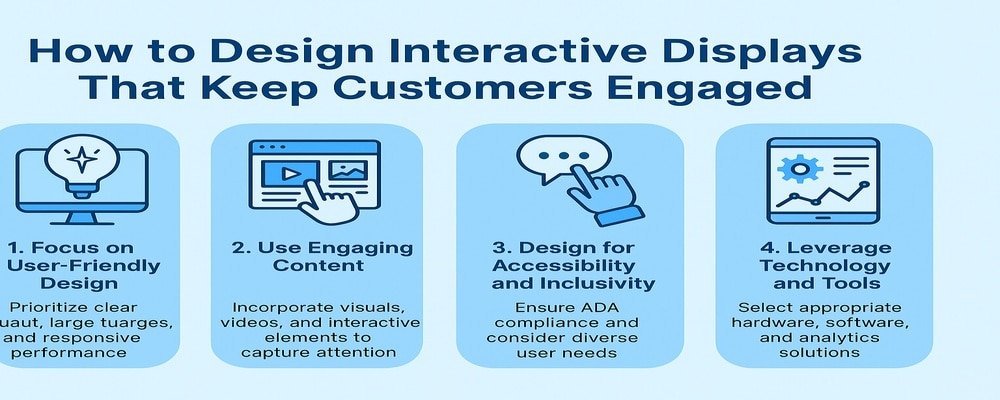
A strong design is the backbone of every successful interactive display. When you design interactive displays, focus first on clarity. The display should guide the customer naturally without overwhelming them.
- Screen size matters: Too small, and people won’t engage. Too large, and it can feel intimidating.
- Placement is key: Put displays where foot traffic is high and visibility is clear.
- Content hierarchy: Lead with bold headlines, follow with visuals, and end with calls to action.
Remember: less is more. Keep menus simple, navigation clear, and actions obvious. Test layouts before launch to ensure real customers can use the display easily.
Pro Tip: Use high‑contrast colors and large fonts to ensure readability from a distance.
Content That Captures and Holds Attention
The success of an interactive display design depends on the content. People engage with what excites them. Instead of cramming in too much information, choose crisp visuals and compelling short text.
- Add animations and videos for movement that draws the eye.
- Use interactive features like swipe menus, product carousels, or augmented reality (AR) try‑ons.
- Refresh content regularly to keep the display relevant.
Think of your display as a conversation starter. The content should answer customer questions, guide them to products, and inspire them to act.
Pro Tip: Change your content for different times of day. Show lunch menus at noon, then happy hour promotions in the evening.
Designing for Accessibility and Inclusivity
An often overlooked part of designing interactive displays is accessibility. Your display should be easy for everyone to use—including seniors, children, and people with disabilities.
- ADA compliance: Ensure the display is at the right height for wheelchair users.
- Touch alternatives: Voice commands or motion sensors for those unable to use touchscreens.
- Language support: Offer multi‑language options to serve diverse communities.
When you design with accessibility in mind, you expand your audience and show customers that your brand truly cares.
Pro Tip: Add clear instructions at the beginning of the interaction so users never feel lost.
Technology and Tools That Power Interactive Displays
Technology is the engine behind every interactive display. Choose tools that match your goals and budget.
- Hardware options: Touchscreen kiosks, interactive walls, AR mirrors, or motion‑sensor displays.
- Software solutions: A strong content management system (CMS) makes updates simple.
- Cloud integration: Lets you update content instantly across multiple locations.
- Analytics tools: Track customer interactions to see what works best.
Pro Tip: Always check compatibility between your chosen hardware and software before purchase to avoid costly mistakes.
Common Mistakes to Avoid When Designing Interactive Displays
Even the best ideas can fail if poorly executed. Avoid these mistakes when creating your interactive display design:
- Overloading content: Too much text or cluttered visuals push customers away.
- Skipping mobile integration: Customers expect displays that sync with their phones.
- Ignoring accessibility: Non‑inclusive displays leave people out and damage your reputation.
- Neglecting maintenance: Outdated or broken content makes your brand look careless.
Pro Tip: Schedule regular updates and assign staff to monitor displays daily.
Real-World Examples of Interactive Display Success
Interactive displays are transforming industries everywhere:
- Retail: Clothing stores use AR mirrors so shoppers can “try on” outfits digitally.
- Healthcare: Hospitals use wayfinding kiosks to help patients and families navigate complex buildings.
- Restaurants: Quick‑service chains boost efficiency with self‑service ordering kiosks.
- Museums: Interactive exhibits allow visitors to touch, play, and learn in new ways.
Each of these examples shows how interactive displays move beyond simple signage into meaningful customer experiences.
Getting Started with Your Interactive Display Design
Ready to begin your journey? Follow these steps:
- Define your goals: Is your display for sales, education, or engagement?
- Pick the right hardware: Choose kiosks, walls, or screens based on your space.
- Select software: A CMS with analytics makes content updates easy.
- Plan your content: Create engaging, simple, and visually appealing material.
- Test and refine: Get real feedback before your grand launch.
- Launch and track: Measure performance and adjust often.
Pro Tip: Start small with a pilot project in one location before rolling out nationwide.
Your Next Step in Designing Interactive Displays
Designing interactive displays isn’t just about technology—it’s about creating experiences that delight, inform, and convert. The businesses that adapt will stand out. The ones that don’t will fall behind.
If you’re ready to boost engagement and sales with a stunning interactive display, now is the time to act. Don’t wait while your competitors capture attention first.
Call to Action: Contact our team today for a free consultation and start designing interactive displays that keep your customers engaged.
FAQs About Design Interactive Displays
1. What is design interactive displays and why is it important?
Design interactive displays means creating digital screens or kiosks that customers can use. It’s important because it transforms passive viewing into active engagement.
2. How much does it cost to design interactive displays?
Costs vary by size and technology. Simple kiosks may cost a few thousand dollars, while advanced AR displays can run higher. The ROI usually justifies the investment.
3. How do design interactive displays help retail stores?
They let shoppers browse products, check prices, or find deals without waiting for staff. This speeds service and boosts sales.
4. What industries benefit most from design interactive displays?
Retail, hospitality, healthcare, museums, and restaurants see major benefits. Any business with foot traffic can gain value.
5. How long does it take to design interactive displays?
A small project may take weeks, while larger installations with custom software could take months. Testing is key to success.